A 10–12 WEEK COURSE STARTING APRIL 29th 🎓
Learn to create professional architectural models in Revit from scratch. Over 10 to 12 weeks, you’ll progressively build a real 3D project, master essential BIM tools, and earn a certificate to boost your international career.

+50 Qualified Architects
WHAT YOU’LL LEARN
Revit – INITIAL 🧱
8 modules · 10–12 weeks · one live class per week · fixed groups
Overview
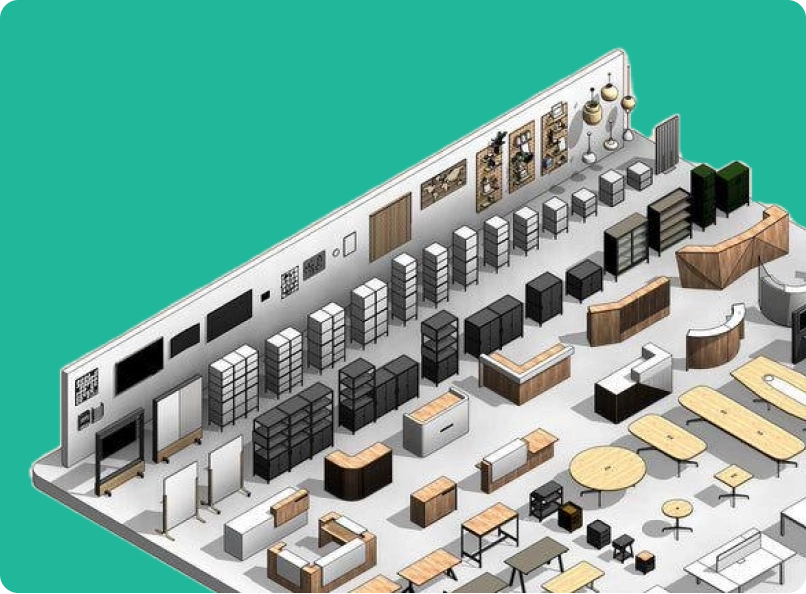
In this first level, we will start from scratch, understanding the logic of the software and how to think within Revit. From there, we will progressively develop its core functionalities while building a real project. It won’t be just theory: each session we will advance a 3D model that will gradually evolve into drawings, details, and construction documentation.
The main objective is that by the end of the course, participants can work confidently in Revit—understanding not only what to do, but why it is done that way within the BIM environment.
Modules
- Interface and BIM fundamentals
- Building elements
- Parameters and types
- Basic family creation
- Views and templates
- Construction
- Documentation
- Schedules and detailing
- QA/QC and final review
WHAT YOU’LL DO
Revit – ADVANCED🧱
8 modules · 10–12 weeks · one live class per week · fixed groups
Overview
This is the continuation of the previous course, designed for those who not only want to use the software, but to master it with technical and professional criteria.
This course deepens the basic tools already covered, approaching them from a much more rigorous perspective: intentional modeling, real parametric control, integration with other software, and office standards.
We will work with a practical and progressive approach, developing exercises that simulate real coordination and professional documentation scenarios.
The main objective is that by the end of the course, participants can work confidently in Revit—understanding not only what to do, but why it is done that way within the BIM environment.
Modules
- Advanced modeling and BIM strategies
- Conceptual mass modeling
- Advanced parameters and parametric logic
- Advanced and adaptive families
- Professional documentation and automation
- Coordination and integration with other software Analysis, data management, and model control Professional QA/QC and office workflow
MEET YOUR INSTRUCTOR
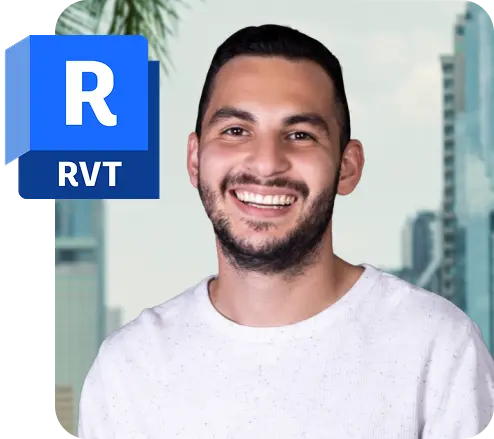
Learn from Álvaro 🎓
A seasoned architect and BIM expert
Álvaro is a passionate architect with 9 years of professional experience in residential, commercial, and theatrical architecture.
He specializes in conceptual design, project management, technical documentation, and 3D modeling.
He believes in learning by doing, bringing a hands-on, real-world approach to every class. Today, Álvaro works on international projects across the U.S. and Costa Rica while helping new designers develop their careers.
REQUIREMENTS
Requirements 🛠️
- Basic design or architecture knowledge recommended
- A computer with Revit installed (version 2025 or newer recommended)
- Willingness to learn and practice beyond the classes
Who should take this course? 👩🎓
- Architecture students and graduates
- Interior designers
- Engineers interested in architectural modeling
- Anyone eager to learn Revit from scratch
- Professionals seeking to work on U.S. and Canadian projects
FAQS
Do I need previous experience with Revit?
It depends on the level. For the Initial level, no prior Revit experience is needed — we start from scratch, covering the logic of the software and how to think within the BIM environment before building anything. For the Advanced level, previous Revit knowledge is required, as the course builds on foundational skills and dives into professional-level tools, parametric logic, and office workflows.
Are the classes live or pre-recorded?
Classes are live and interactive, held once per week in fixed groups so you learn alongside the same peers throughout the course. Recordings will also be available if you miss a session.
What happens if I can't attend a live class?
No worries — all sessions are recorded and shared with participants so you can catch up at your own pace.
Will I receive a certificate?
Yes, upon completing the course you will receive a certificate of completion from BetterPros.
Can I apply for jobs after completing the course?
Absolutely. This course is designed to give you practical, job-ready skills. Plus, BetterPros connects you with opportunities in U.S. and Canadian firms looking for Revit-skilled professionals.
What version of Revit do I need?
It is essential to have Revit 2025 or 2026 installed before the course begins.
Which level should I take?
If you’re familiar with Revit but unsure about your level, complete this self-assessment to find out which course best matches your current knowledge.